Fixing a Scan: Editing or Deleting Your Last Entry
Tapped the wrong button? You can edit or delete your own last scan on a tag for 30 minutes. After that, the history stays as it is, and you correct it with a new scan.
Edit or Delete Within 30 Minutes
Edit and Delete buttons show on a history entry only when:
1. you made the entry,
2. it's the newest entry on that tag, and
3. it's less than 30 minutes old.
1. you made the entry,
2. it's the newest entry on that tag, and
3. it's less than 30 minutes old.
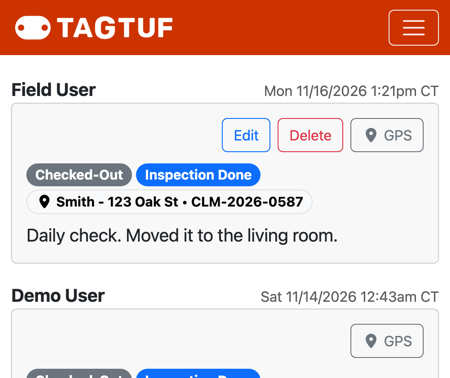
Edit and Delete on your own newest entry
Edit It
1. Scan the tag (or open it) and enter your PIN.
2. Tap Edit on your entry.
3. The form opens with that entry filled in. Change what's wrong.
4. Tap Save.
2. Tap Edit on your entry.
3. The form opens with that entry filled in. Change what's wrong.
4. Tap Save.
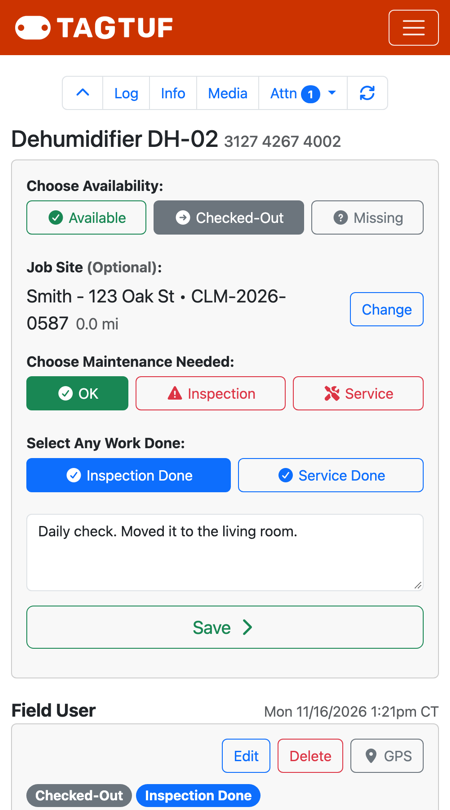
Editing an entry: change it and tap Save
Delete It
Tap Delete on your entry and confirm. The entry is removed, and the tag goes back to how it was before that scan.
After 30 Minutes
Entries can't be changed after 30 minutes, or once someone else has scanned the tag, so the history stays trustworthy. To fix something, scan the tag again with the correct status and add a note, like "Correction: this was checked in Tuesday, not Monday."
Comments
No Comments Yet