Who Gets Notified: Email, Text and Digests
Notifications are set per user: each person picks which events they hear about, by email, by text, or both, for all tags or just their team's.
Where to Set Them
Go to Admin > Users, tap Edit on the user, and scroll to Notifications. Check what they should get under Email Notifications and SMS Notifications, then tap Save. Text messages need a phone number in User Info.
What They Can Get
Available/Checked-Out: equipment checked out or back in.
Missing Item: someone marked a tag Missing.
Inspection/Service Needed or Done: a tag was flagged, or the work was logged.
Inspection Reminder: one summary per scheduled reminder time, not one per tag.
Billing events, and Daily, Weekly, Monthly or Month-To-Date Operations Reports.
ALL means every tag. TEAM means only tags on that user's team.
Missing Item: someone marked a tag Missing.
Inspection/Service Needed or Done: a tag was flagged, or the work was logged.
Inspection Reminder: one summary per scheduled reminder time, not one per tag.
Billing events, and Daily, Weekly, Monthly or Month-To-Date Operations Reports.
ALL means every tag. TEAM means only tags on that user's team.
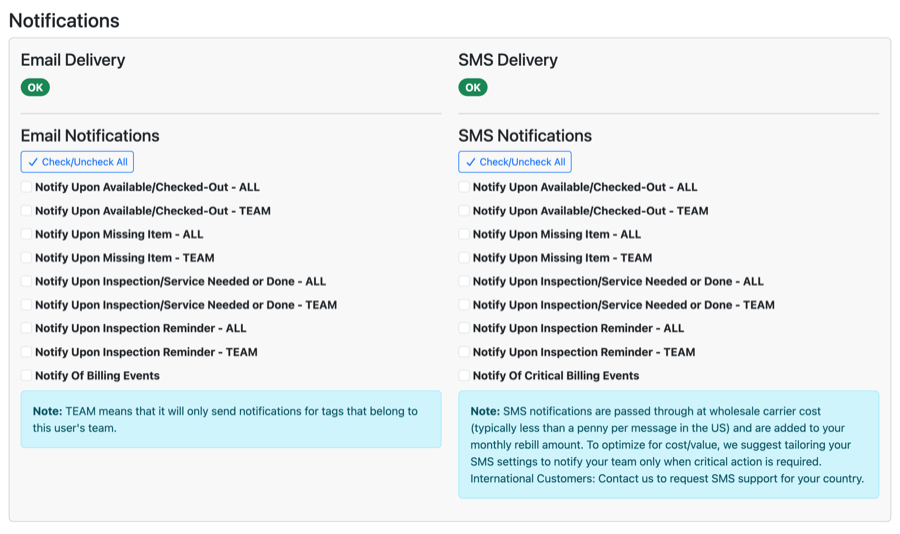
A user's Notifications section
Text Message Hours and Cost
SMS Notification Hours limits texts to certain days and hours, so nobody gets texted at 2am. Emails aren't limited.
Texts are passed through at the carrier's wholesale cost (typically less than a penny per message in the US) and added to your monthly rebill. To keep it low, send texts only for what needs action, like missing items.
Texts are passed through at the carrier's wholesale cost (typically less than a penny per message in the US) and added to your monthly rebill. To keep it low, send texts only for what needs action, like missing items.
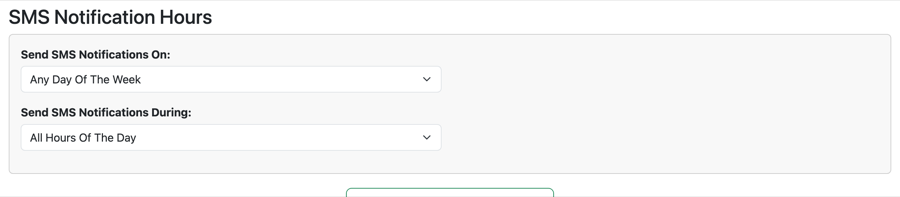
SMS Notification Hours
If Someone Isn't Getting Them
Check Email Delivery and SMS Delivery at the top of their Notifications section. OK means it's working. Bounced means the email address or phone number doesn't work, and Stopped means they replied STOP to a text; TagTuf stops sending there either way. Saving a corrected email or phone number in User Info sets it back to OK. To turn texts back on for the same number that replied STOP, contact us.
Comments
No Comments Yet